Stop fielding texts while you're driving.
Every question has the same answer: "It's in PM4Subs." RFIs, photos, specs, schedules — one place, accessible to everyone who needs it.
These are the texts that make you pull over. We built PM4Subs to stop them.
Digging through hundreds of emails and text messages trying to find critical project information that you know is buried somewhere.
Pictures in your camera roll, texts, emails, WhatsApp. Good luck finding that specific photo from 3 weeks ago when the GC asks for it.
Juggling multiple jobs with different deadlines, submittals, and requirements. It's in your head, not in a system.
They're on site and need plans or specs, but you're in a meeting. Can't get them the info they need when they need it most.
Lost revenue because you can't remember what extras you did last month. By the time billing comes around, half of it's forgotten.
You should be running jobs and managing crews, not hunting for paperwork or recreating information you know you had somewhere.
PM4Subs is made for trade contractors who actually do the work: masonry, concrete, framing, drywall, steel, and other subcontractors who are tired of trying to make "GC software" fit their day-to-day. If you run crews, chase change orders, and juggle multiple jobs at once, PM4Subs is built for you.
Most project management tools are built for general contractors. They're heavy, expensive, and designed around RFIs, drawing logs, and owner meetings. Subcontractors live in a different world: quotes, purchase orders, manpower, tools, small change orders, and keeping foremen on the same page. PM4Subs focuses on what subs actually need instead of burying you in features you'll never use.
Built by masons who got tired of the chaos
See what you've bid, what you've won, and what's coming up next. Every project organized and accessible from your phone or computer.
Upload spec PDFs and quickly pull out the sections that matter for your trade, instead of scrolling through 2,000+ pages.
Turn office to-do lists into clear task lists for your foremen, tied to real jobs.
Know which job your tools and rental gear are on so nothing disappears into a jobsite black hole.
Add a few active projects and the GCs you work for.
Drop in spec PDFs, create job checklists, and assign tasks to the office or field.
Foremen update tasks, the office tracks bids and jobs, and you always know what's going on without asking for another update text.
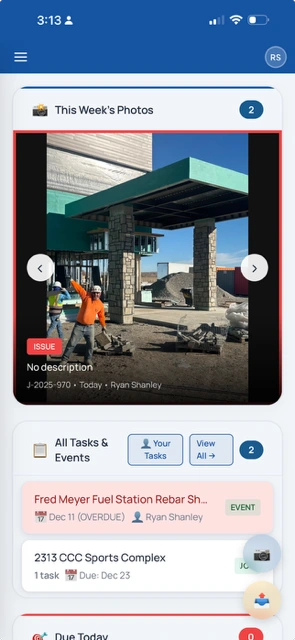
Quick camera access. Track tasks on the go.
Track all your projects in one place. Filter, search, and sort instantly.
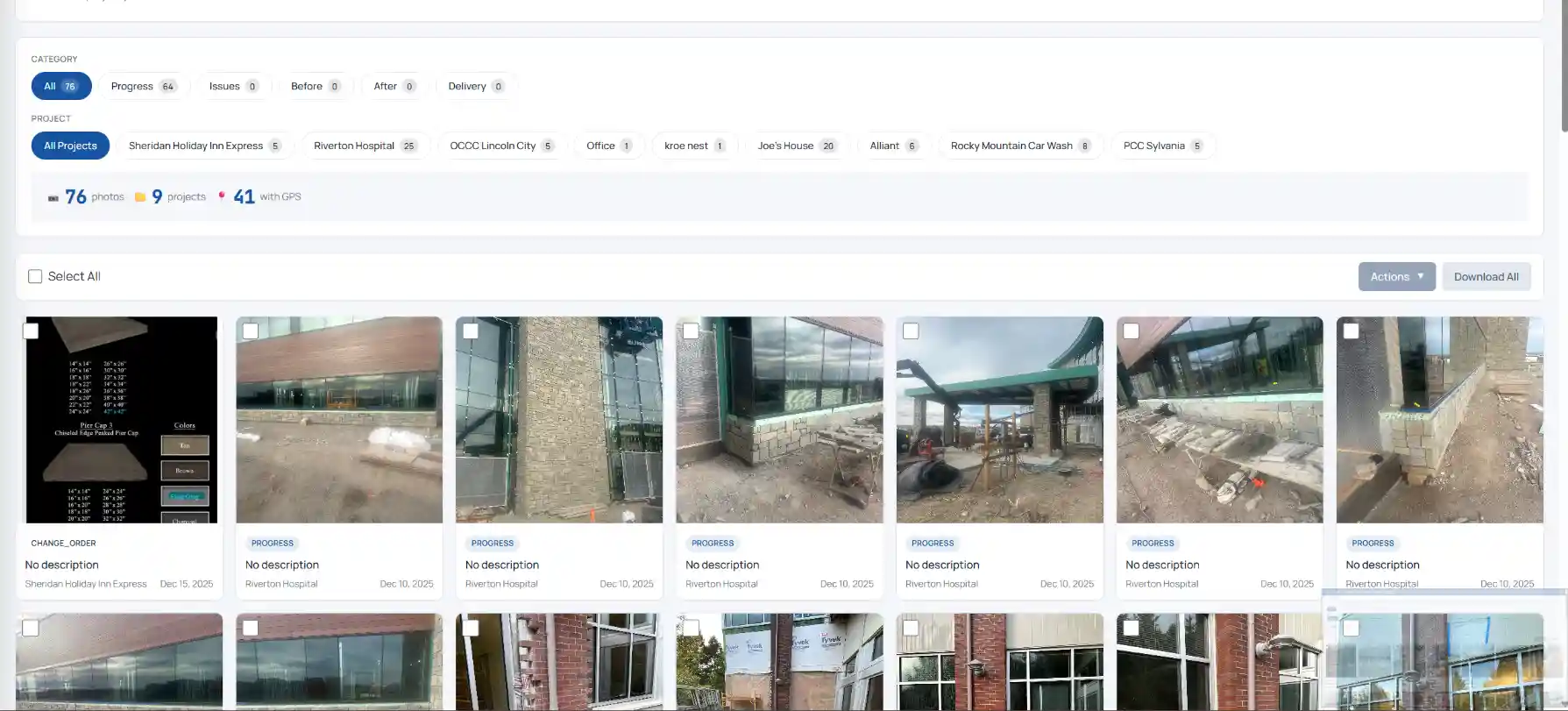
Filter by category, project, or date. GPS tagging included.
Kanban view of all proposals. Never lose track of a bid.
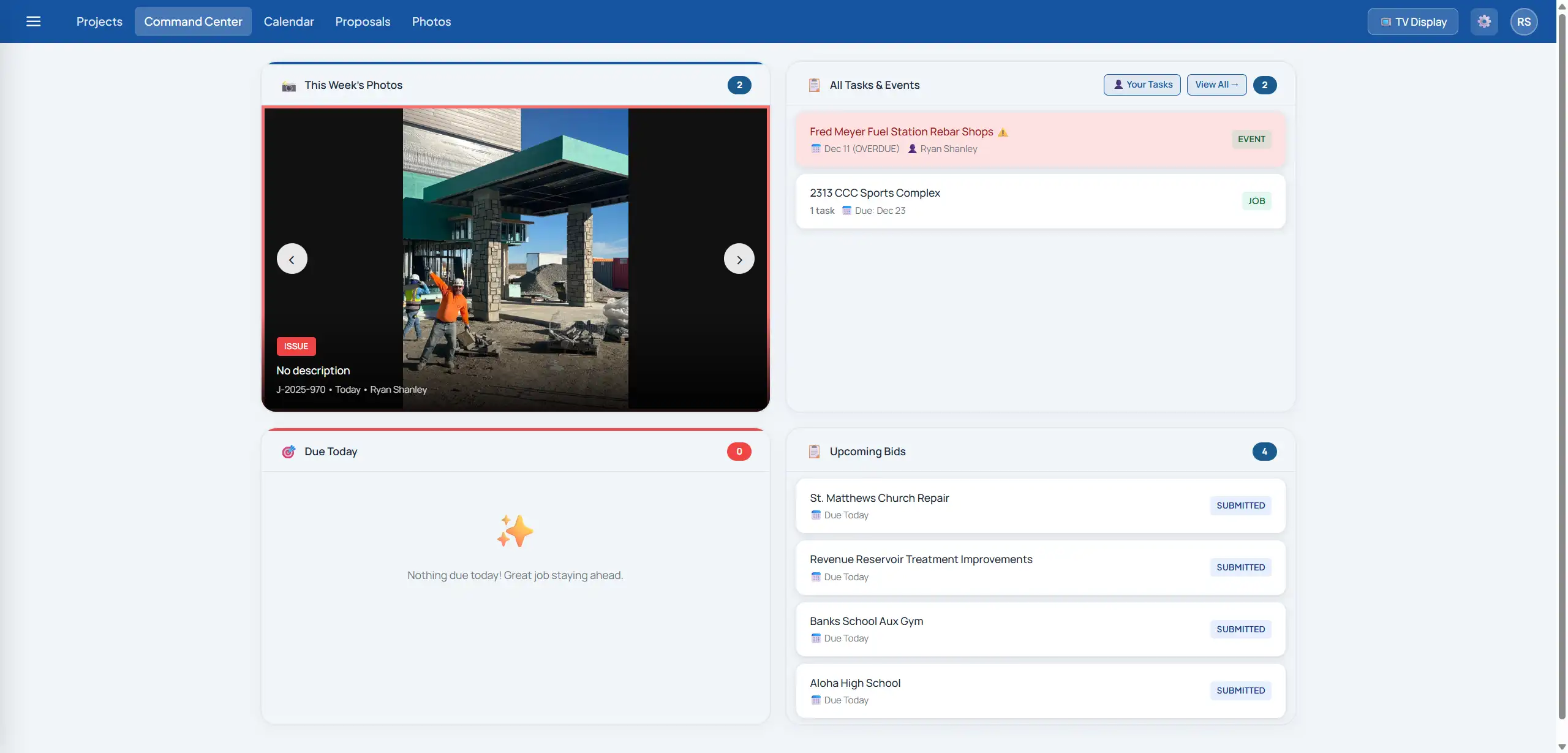
See everything at a glance. Red borders alert you to issues that need attention.
PM4Subs is project management software built specifically for subcontractors. It helps you track bids, jobs, specs, field tasks, and tools in one place so you spend less time chasing information and more time running work.
No. PM4Subs works for any trade contractor, including masonry, concrete, framing, drywall, steel, and other subs. It was designed by a masonry subcontractor, but the workflows are flexible enough for most trades.
Procore and similar systems are built for general contractors and owners. They're powerful, but often too heavy and expensive for subs. PM4Subs focuses on what subcontractors actually need: clear job tracking, spec review, simple field tools, and staying organized without full-time office staff.
Yes. The Spec Analyzer is built for subcontractors who receive huge spec books. You can upload a PDF and quickly pull out the sections that matter for your trade, including materials, accessories, and submittal requirements, so you don't miss scope items.
No. PM4Subs is designed to work alongside your existing accounting system. It helps you organize jobs, tasks, specs, and field information so your accounting and billing are cleaner and easier, but it doesn't try to be a full accounting platform.
Yes. PM4Subs is built to be simple and mobile-friendly so foremen can see job tasks, upload photos, and update the office from their phone without fighting a complicated app.
Create an account, set up your company, and add a couple of active jobs. From there you can try the core project management tools and decide which modules—like the Spec Analyzer or tool tracking—you want to turn on next.
Simple, subcontractor-friendly pricing. No long contracts, no per-feature add-ons, and no surprise "implementation" fees.